With the growing number of users on TradeKitsune, many players have asked: Why do I need to use my Roblox account to log in? Is logging into TradeKitsune via Roblox safe? To reassure all users and create a safer trading environment, this article provides a detailed explanation addressing these concerns.
Why TradeKitsune Requires Your Roblox Account
To post and complete trades on TradeKitsune, players must first log in with Roblox authorization. Here are the three key reasons for this login requirement:
Verifying You Are a Genuine Roblox Player
TradeKitsune is a platform that provides trading services for Roblox games. Currently, it only supports Roblox titles. At this time, you can find various information about the game Grow a Garden on TradeKitsune and post your own trades there. In the future, we plan to expand our services to cover more Roblox games. To prevent non-Roblox users from misusing trading pages by posting spam, ads, or other promotional content, the site requires all users to be real Roblox players.
Preventing Scams
Some scammers have used private messages to lure users into clicking malicious links for account theft. TradeKitsune has taken action by banning such scammers and improving its monitoring system. If Roblox authorization were not required, scammers could easily create multiple fake accounts, making it difficult to track fraudulent activity and harder for users to spot scams. Thus, logging in with a verified Roblox account acts as the first line of defense against scams.
Helping You Find Trade Partners Quickly
Using the Roblox username directly helps users find trading partners on Roblox faster, smoothing the trading process.
In sum, requiring Roblox login helps maintain a healthy website environment, ensures user safety, and provides convenience for players. Next, it is important to explain the secure login process and why authorizing your Roblox account on TradeKitsune is safe.
Why Logging Into TradeKitsune With Your Roblox Account Is Safe
Here is the secure workflow when authorizing your Roblox login on TradeKitsune:
1. Clicking the “LOGIN” button on the top right triggers a “Continue With Roblox” popup.
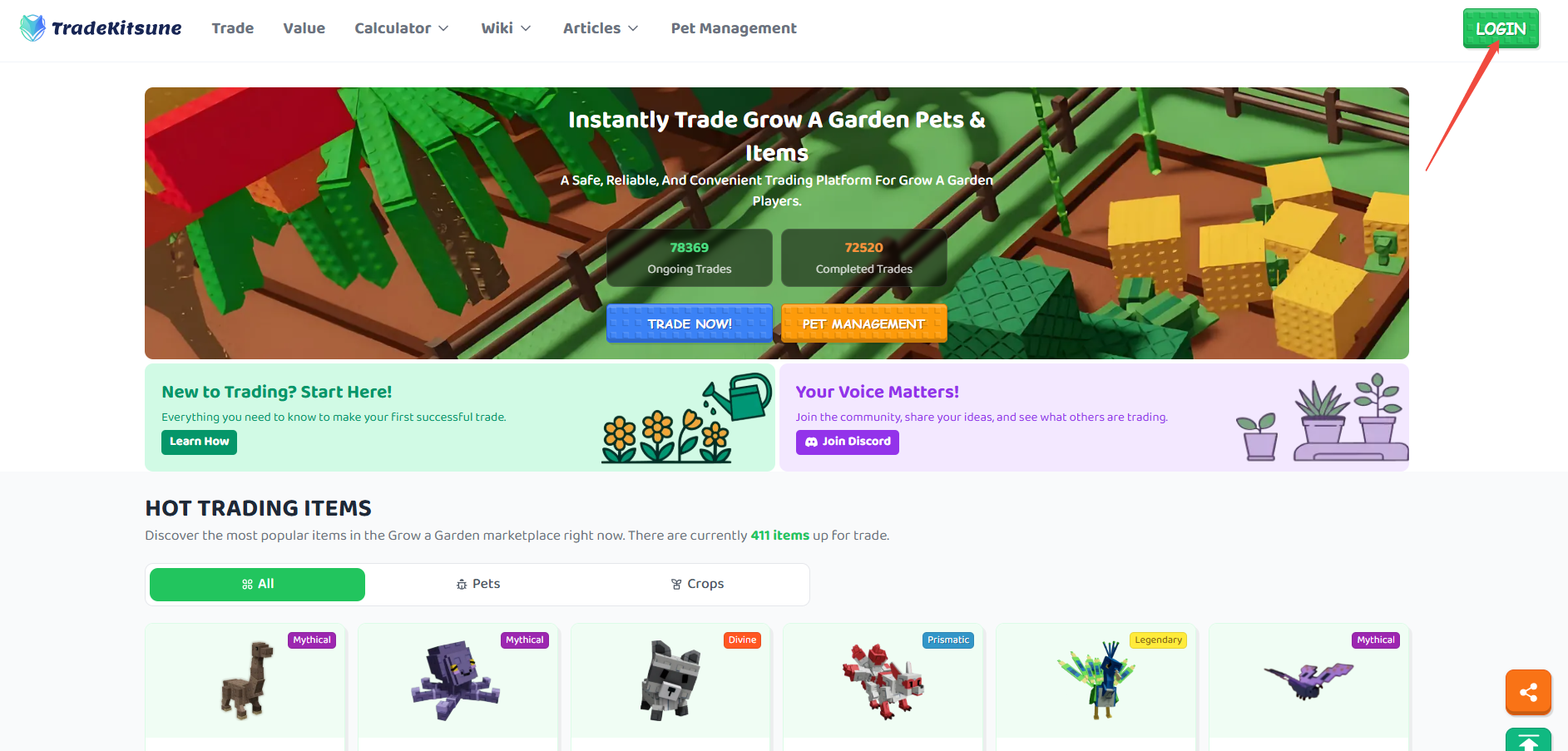

2. Choosing “Continue With Roblox” redirects you to the official Roblox login page to enter your Roblox username and password. This page’s URL is the official Roblox login address (https://www.roblox.com/login) with a TradeKitsune redirect suffix. If you have already logged into your Roblox account in your browser, you will be redirected to the Roblox account authorization interface (https://authorize.roblox.com/?client_id=xxx).
📌Roblox Third-Party Login Authorization Mechanism Official Documentation: OAthu 2.0 Overview📌
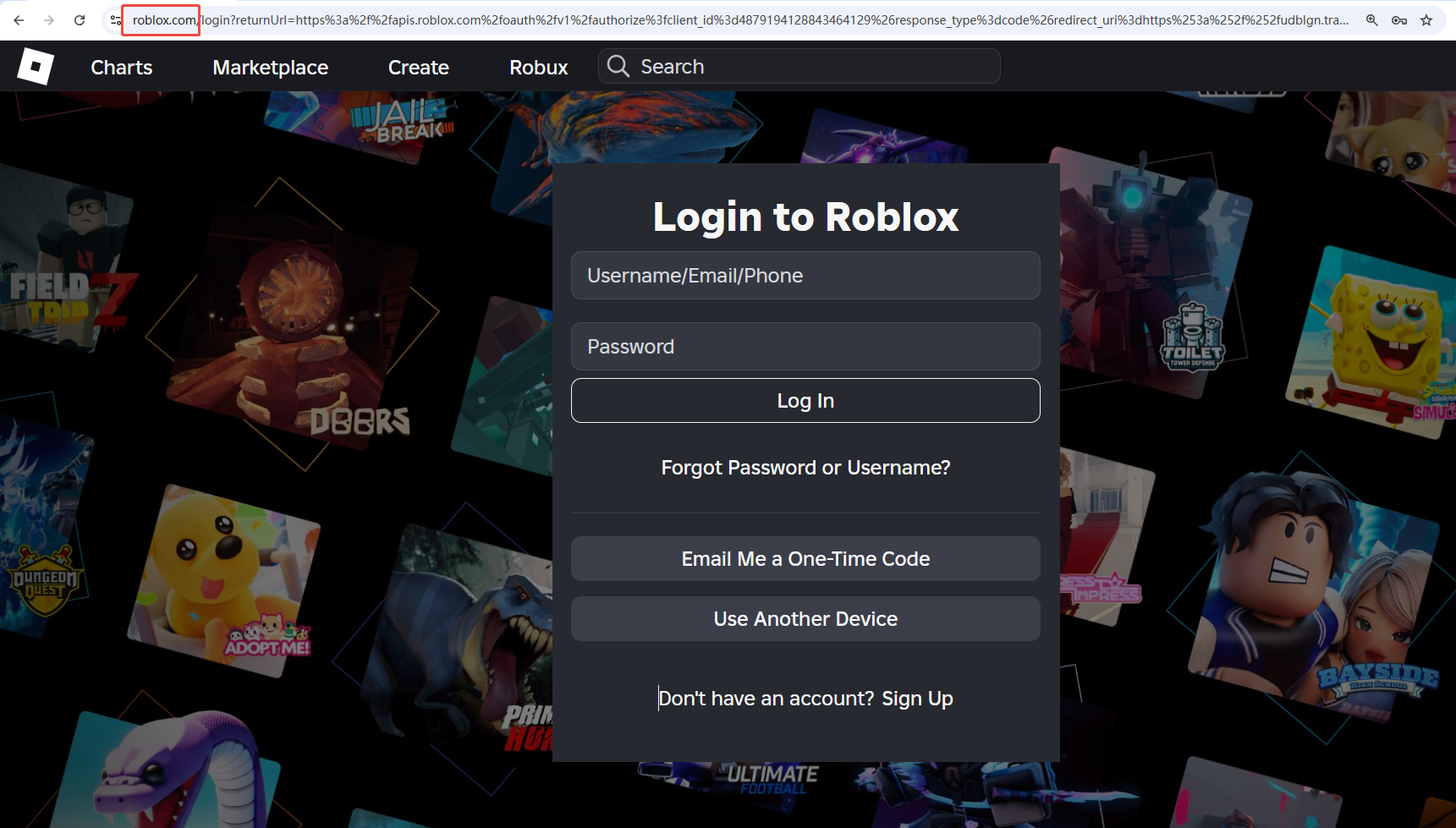
Roblox Login via TradeKitsune
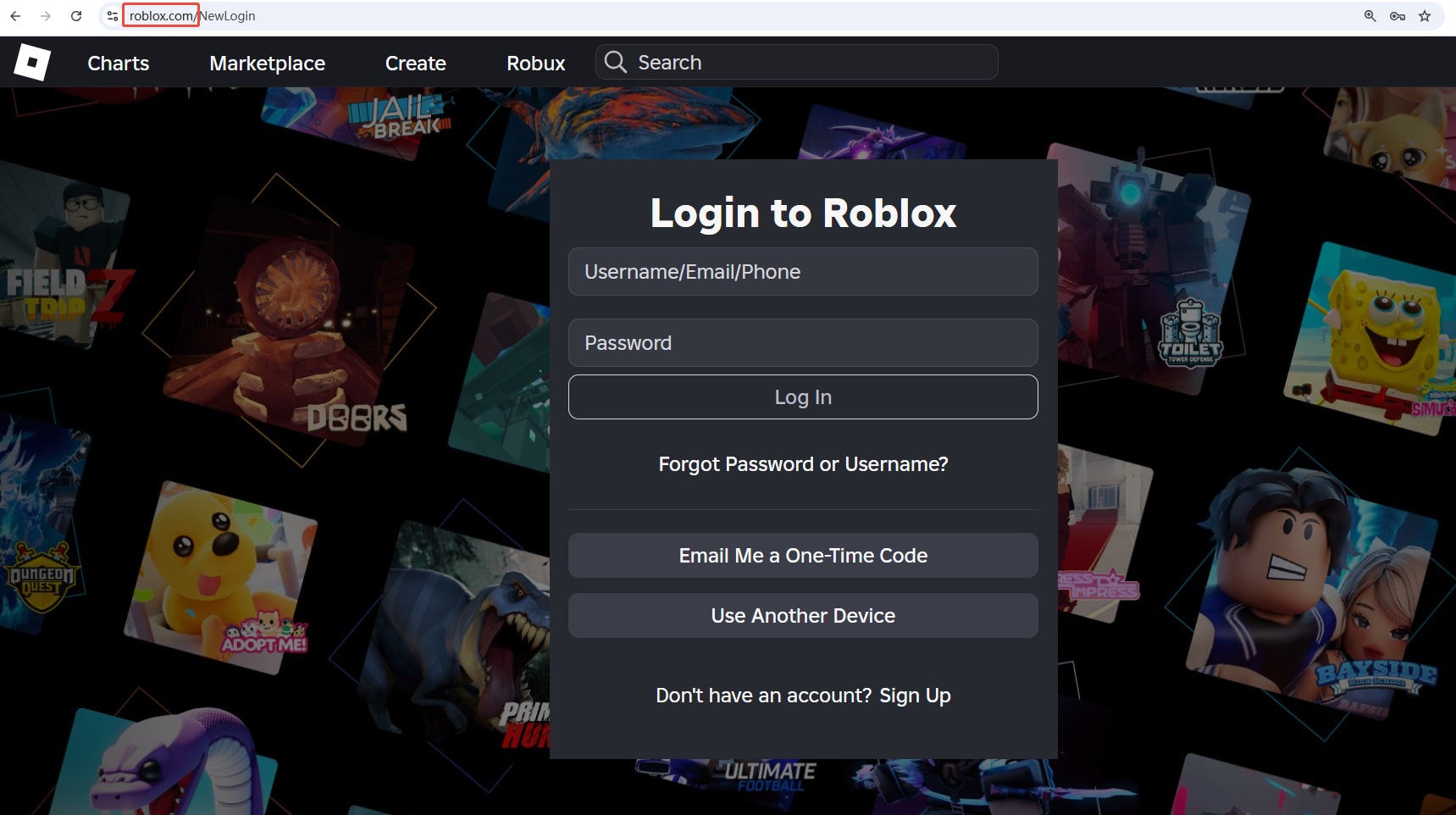
Original Roblox Login
3. After successful login on Roblox, an authentication prompt asks whether you authorize TradeKitsune to use your Roblox username to continue.
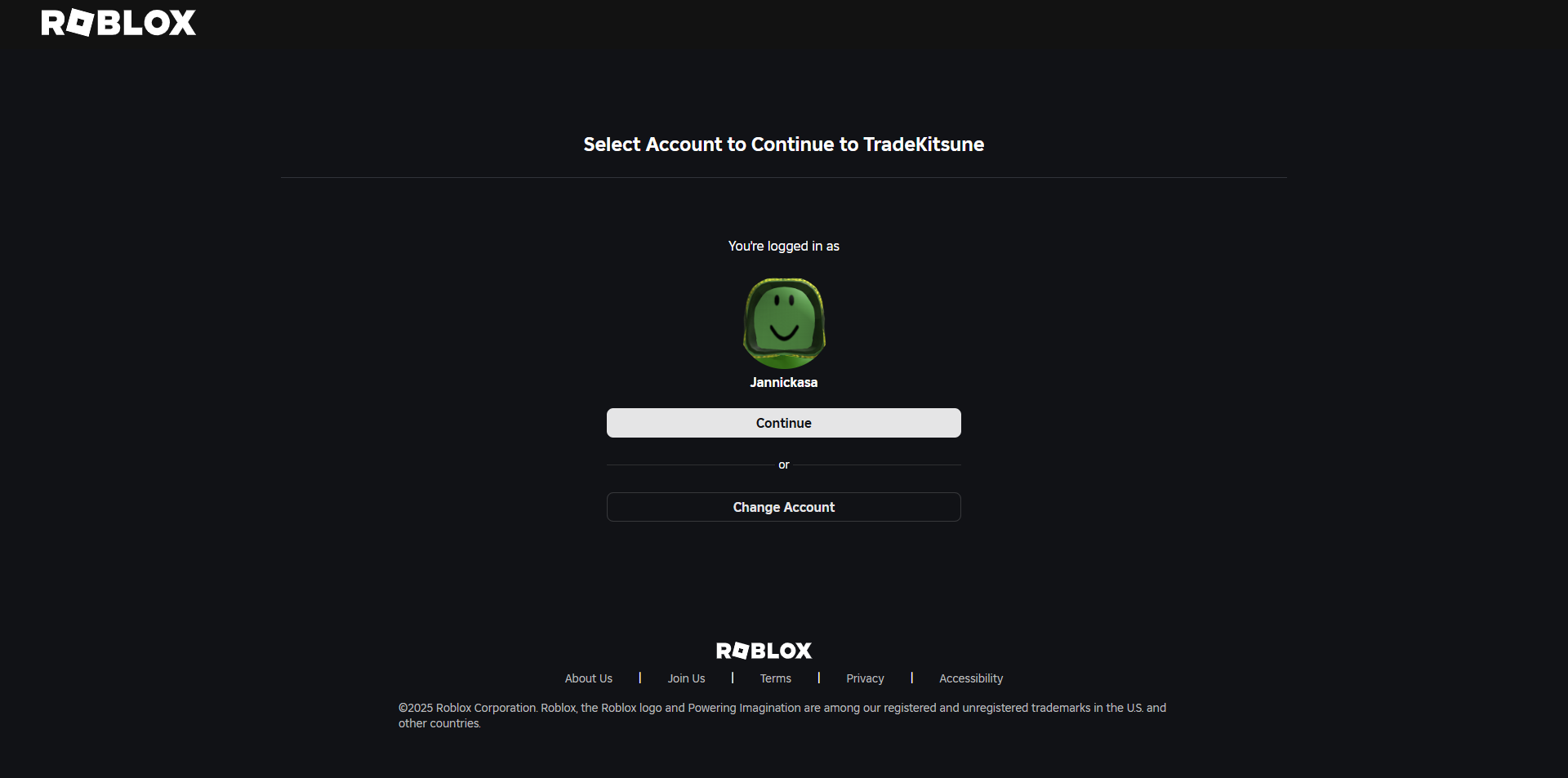
4. Upon authorization, you are redirected back to TradeKitsune, where your Roblox avatar and username appear as logged in.
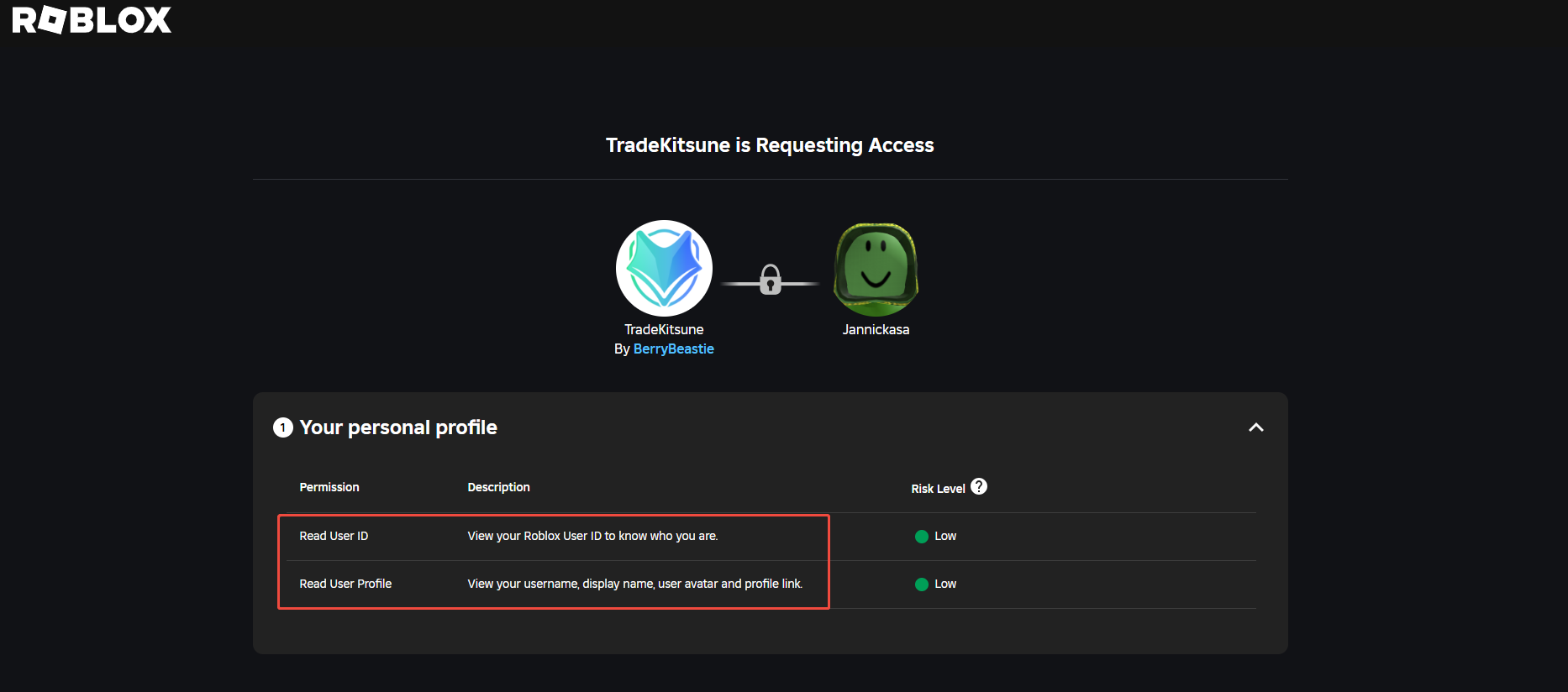
Throughout this process, your Roblox password is only entered on the official Roblox platform and never shared with TradeKitsune. TradeKitsune only receives permission to use your Roblox avatar and username, not your password or full account details.
How to Use Your Roblox Account on TradeKitsune Without Being Scammed
TradeKitsune only displays your Roblox avatar and username; it does not access your Roblox password or complete account information. Therefore, neither scammers nor TradeKitsune itself can steal your Roblox account through this login process.
Besides platform protections, users should remain vigilant by not clicking on private links from strangers or accepting unsolicited messages containing personal channel invitations. If suspicious activity occurs, you can report it immediately via the “Report” button in the chat window for prompt action.
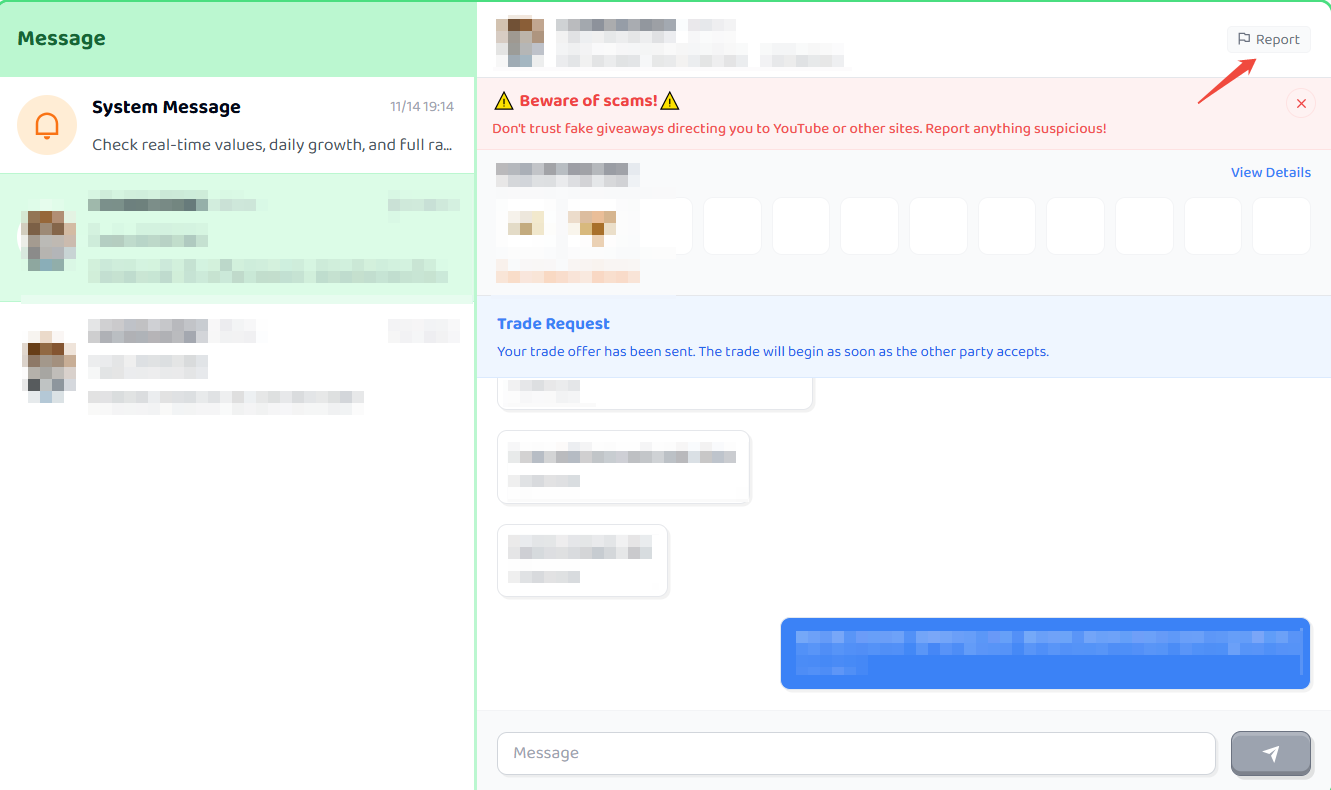
This login method, combined with user caution, helps ensure that trading on TradeKitsune remains a safe and secure experience for the Roblox community.
TradeKitsune’s Roblox login process is designed for your protection, to keep trading fair, and to foster a trustworthy environment for all Grow a Garden players.
How to Contact Us
- Stay updated on our official website for more information about Grow a Garden: tradekitsune.com
- Join our Discord channel to chat directly with developers: TradeKitsune Discord
- Follow our official X account for the latest Grow a Garden updates: TradeKitsune X