Create a New Trade of Grow a Garden
Choose what you're offering and what you want.
Specific Trade
Open to Offers
How to Post a Trade on TradeKitsune

STEP 1: Pick Your Trade Type
Choose "Specific Trade" if you know what you want, or "Open to Offers" to get offers and set your limits.
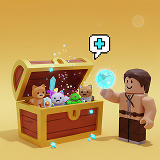
STEP 2: Select Your Items
Add the items you want to trade, and adjust the item's parameters for best value.
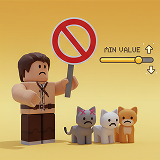
STEP 3: Set Offer Rules
For open offers, select items you don't want (NLF), and set your lowest accepted value.
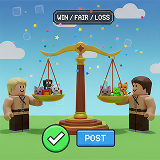
STEP 4: Check the Deal
See if your trade is Win, Fair, or Loss. Edit until you're happy, then post!
💗Friendly Reminders💗
- Stay Online -After posting a trade, remain online so you can respond to offers quickly.
- Verify Details -Double check the item information and all trade conditions before confirming.
- Protect Your Account -Avoid unknown third‑party links, and make sure the trader's Roblox ID matches their in‑game ID.
- Report Suspicious Activity -If you see a suspicious trade or possible scam, report in the Chat immediately.
- Start Small -New traders could begin with low‑value items to gain experience before making high‑value trades.
FAQ of Grow a Garden
Q1: What are Grow a Garden Trading Tokens and how do they work?
A: Trading Tokens are the main currency used in the Farmers Market/Trade World. They are separate from your normal garden progress and are required to buy pets, crops, and other player‑listed items. You can earn Tokens by selling items in the Farmers Market or purchasing them with Robux in the Token Shop. Tokens are also the payment you receive when players buy from your booth. For more details, please visit the full Token introduction here.
Q2: How do Token-based trade offers work on TradeKitsune?
A: You can create flexible Token Offers by setting Token quantity or combining Token with pets and crops to build a more attractive trade. Tokens help balance item values and increase the chance of a successful deal. For more details, please check the full Token trading guide.
Q3: What does "Not Looking For (NLF)" mean?
A: NLF lets you list pets you don't want to receive in offers. When buyers make an offer, your NLF pets are shown as "not wanted" on the trade detail page. This helps buyers know what to avoid, but it won't block their offer.
Q4: How does the "Value/Token Requirement" in Open Offers work?
A: Value/Token Requirement sets the minimum total value/token (calculated token quantity = value ÷ 50,000) you'll accept from any offer. By default, it's 50% of your offered items'value, but you can adjust it or turn it off entirely. If it's disabled or set to zero, buyers can offer any value.